GuidesVideo2 min
Write your first instruction
Watch an instruction being written in the editor, from an empty page to rules an agent follows. No account needed.
What you just saw
An instruction is ordinary writing that tells an AI agent how to behave. You write on the left; the right side shows how people will read it. Everything is saved in your browser as you type.
Open the editor and start a new instruction
Go to the editor and choose New instruction in the side bar. You don't need an account to write.
Name it, and say what the agent is for
The first line is the name. Under it, write a sentence or two about who the agent serves and what a good answer looks like. Plain words work best.
Add the rules it must keep
Start a line with MUST:, SHOULD: or NEVER: and it becomes a rule. Rules are numbered and listed at a glance, so nobody has to hunt for them.
# Support agent

You answer billing questions for Acme.

MUST: verify the customer's identity before discussing an account.
NEVER: share one customer's details with another.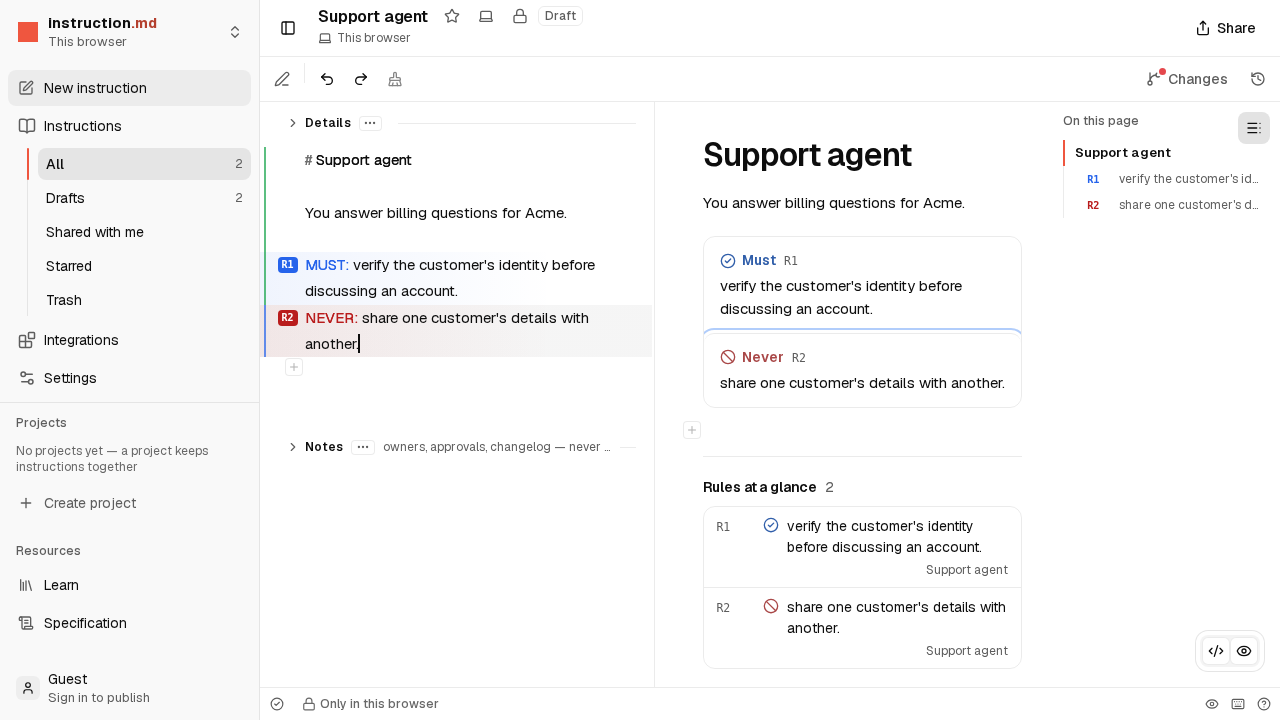
Find it again
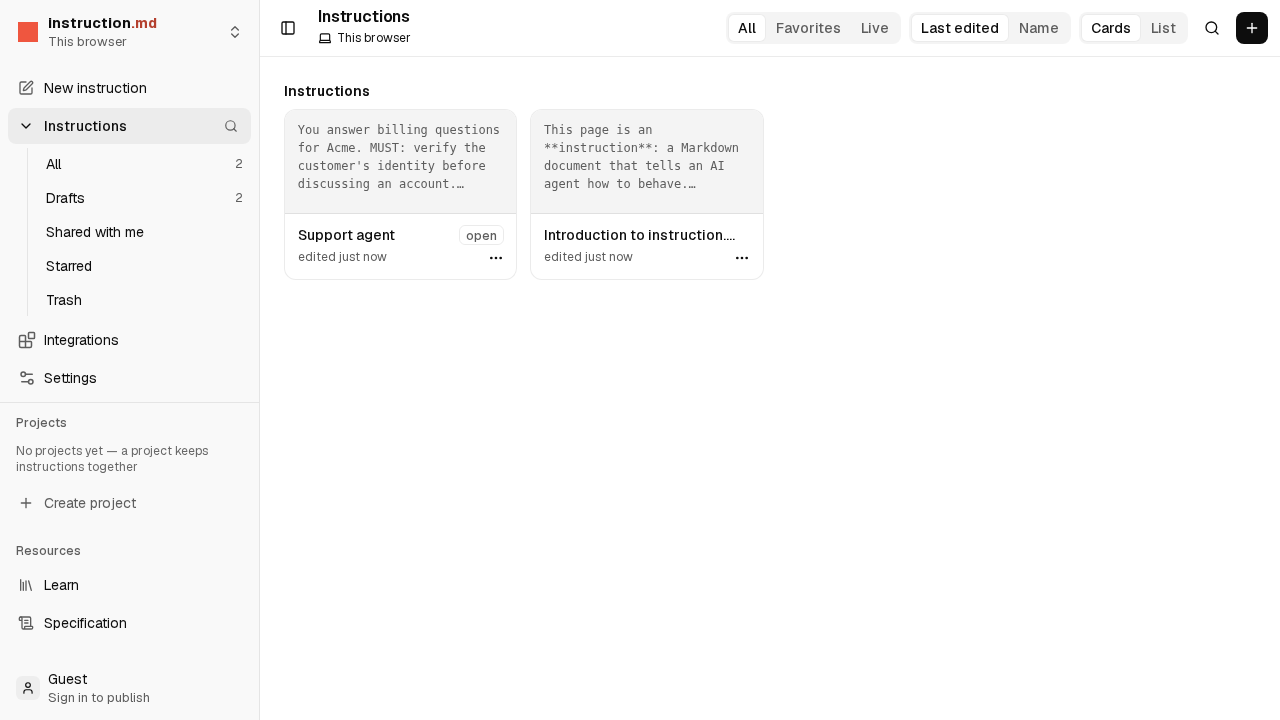
Choose Instructions in the side bar to see everything you have written. Until you sign in and publish, it stays in this browser only.
Try it yourself
Open the editor and write one for an agent you have in mind. Type / at the start of a line to see what else you can add.
